Run an SEO blog for a small business without a writer
RankingArticles lets a small business owner run a weekly SEO blog without hiring a writer. You tell it about your business once; it finds what your customers search for, plans articles, writes and fact-checks them, and posts them to your site. You spend a few minutes a week reading and approving.
Last updated 2026-11-08 · by Venu Gopal Reddy Muvva, founder
The problem
You know a blog brings customers from Google, but you never find the time, and you are not sure what to write about. Agencies are expensive, and generic AI text with made-up numbers makes your business look careless.
How to do it in RankingArticles
- 1
Sign up and describe your business
Create a free account. Add your site, what you sell (for example "GST billing software for small shops"), your target country and a few topics.
- 2
Add your facts
Put your real prices, years in business and service areas in the fact sheet, so articles mention them correctly.
- 3
Get your plan
The Keywords tab finds what people search for around your topics; the Plan tab turns the best ones into a dated list of articles.
- 4
Write the first article
Click Write now. In a few minutes you have a checked article with a score.
- 5
Post it
Connect WordPress with the free plugin (or copy the article out for any other site) and publish.
- 6
Turn on autopilot when you're ready
Choose how many articles a week and which days. Keep auto-publish off to approve each one, or on to post Ready articles automatically.
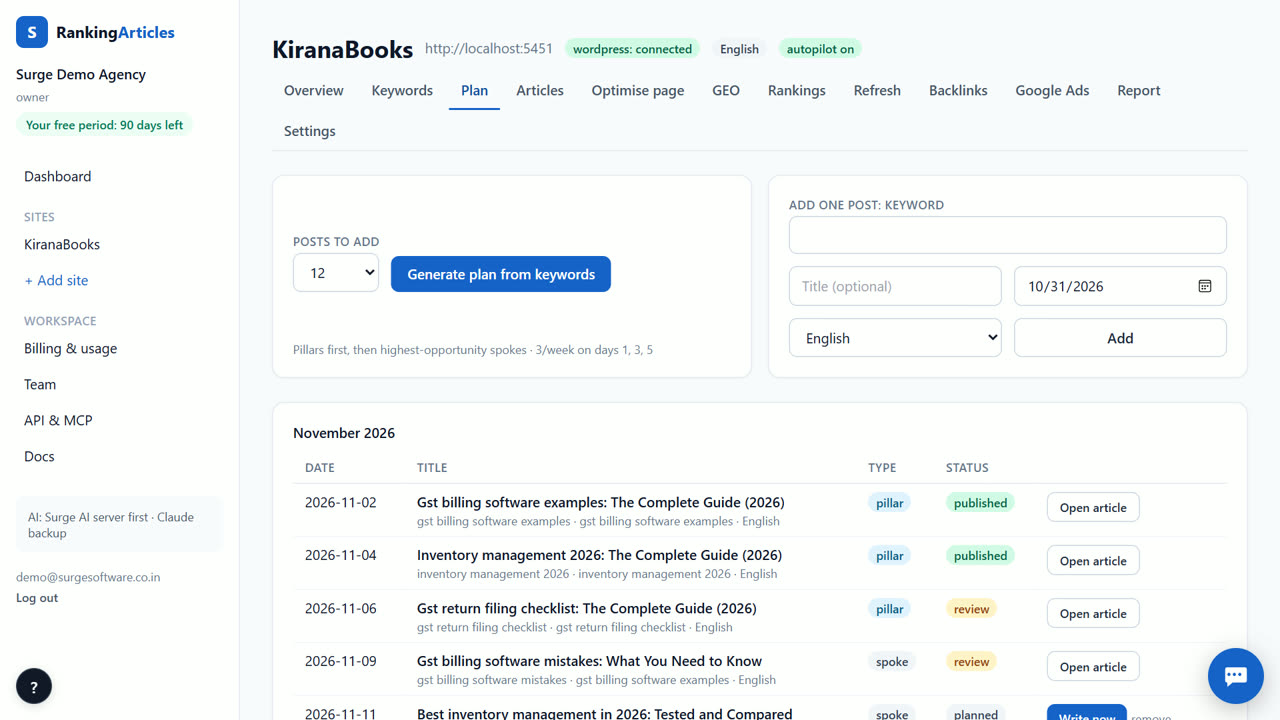
What you end up with
A steady stream of articles that answer your customers' questions, posted on your own site, with every fact checked.
An example
A Hyderabad AC repair shop adds "ac service cost", "ac gas refill" and "split ac not cooling" as topics. The plan schedules two articles a week. The owner spends ten minutes each Monday reading the two drafts, fixes one price in the fact sheet, and publishes both.
Tips
- Start with questions customers ask you on the phone; they make the best topics.
- Two articles a week is plenty to start; consistency matters more than volume.
- Add your city or service area to the fact sheet so articles mention it correctly.
When RankingArticles is not the right tool
If you need social media posts, ads for Meta or a new website, RankingArticles does not do those. It writes and publishes blog articles.
What it costs
RankingArticles starts with a 14-day free trial, no card. After that you keep a free plan (3 articles a month), or pick a paid plan from ₹2,499 ($29) a month. Paid live data, such as AI-answer checks, is pay-as-you-go at our cost. See the plans.
Questions
How much time does it take each week?
About as long as reading the articles before you approve them. Planning, writing, checking and posting are done for you.
What if my site isn't on WordPress?
Webflow, Shopify and Wix work in beta. For any other site, choose Other and copy the article out.
What does it cost?
Nothing for the first 14 days, and the Free plan stays free (3 articles a month). For more, Starter is ₹2,499 a month for 20 articles.
Try it on your own site — 14 days free, no card.
Start free