Auto-publish SEO articles on a schedule
RankingArticles's autopilot writes the articles in your plan as they come due and, if you switch on auto-publish, posts the ones that pass the fact check and your minimum quality score. After posting, it opens the live URL to confirm the article really went up.
Last updated 2026-11-08 · by Venu Gopal Reddy Muvva, founder
The problem
Content schedules slip because every post needs someone to write it, check it and press publish. A tool that publishes blindly is worse: one bad article goes live with nobody looking.
How to do it in RankingArticles
- 1
Connect your site
Connect WordPress with the plugin (or Webflow, Shopify or Wix in beta) under Settings → Publishing and click Save & test.
- 2
Have a plan
Generate a content plan on the Plan tab so autopilot has dated items to write.
- 3
Set autopilot
In Settings → Autopilot choose articles per week, publish days, the minimum QA score, whether the fact gate is required, and draft or live.
- 4
Choose auto-publish or review
With auto-publish off, articles wait as Ready for you. With it on, Ready articles are posted on schedule.
- 5
Check the results
The dashboard shows what was written, published and blocked. Owners get an "article published" email (you can turn it off).
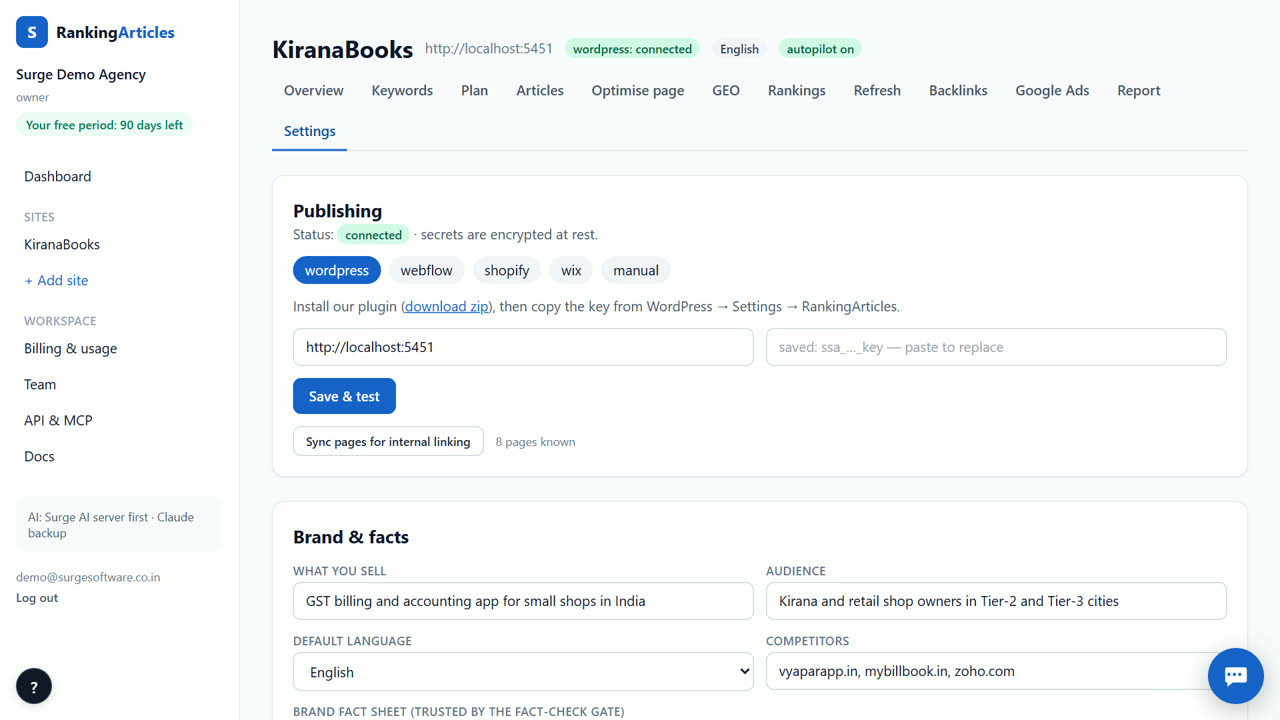
What you end up with
Articles written and posted on the days you chose, only when they pass your bar, each one confirmed live.
An example
A software company sets autopilot to three articles a week on Monday, Wednesday and Friday, minimum QA score 80, fact gate required, live posts. On Wednesday one article scores 74, so it waits as a draft for review; the other two go live and are checked at their URLs.
Tips
- Run with auto-publish off for two weeks, then switch it on once you trust the output.
- A minimum QA score of 80 is a sensible start.
- Keep the article-published email on so you see every post that goes live.
When RankingArticles is not the right tool
If you want to post the same text to many social networks, this is not a social scheduler; it publishes articles to your website.
What it costs
RankingArticles starts with a 14-day free trial, no card. After that you keep a free plan (3 articles a month), or pick a paid plan from ₹2,499 ($29) a month. Paid live data, such as AI-answer checks, is pay-as-you-go at our cost. See the plans.
Questions
How often does autopilot run?
Every hour, outside 02:00–06:00 IST, for plan items that are due.
What if an article is blocked?
It is never auto-published. It waits for you with the reasons.
Can autopilot publish as drafts only?
Yes. Set the default to draft and review them in WordPress.
What does autopilot cost after the free trial?
The same as writing by hand: each article counts against your plan's monthly article allowance. When the month's allowance is used up, that article does not start and nothing is charged; upgrade your plan or wait for next month.
Try it on your own site — 14 days free, no card.
Start free