Write AI SEO articles and publish them to WordPress
RankingArticles writes SEO articles for your WordPress site and posts them for you. You add your site, it researches keywords and plans articles, and each article is written, fact-checked against sources and sent to WordPress through our free plugin as a draft or a live post, with Yoast or Rank Math fields, schema and a cover image filled in.
Last updated 2026-11-08 · by Venu Gopal Reddy Muvva, founder
The problem
Most AI writers stop at a block of text. You still copy it into WordPress, fix the headings, write the meta description, find an image, add FAQ schema and check every number by hand. For one article that is an hour; for a weekly blog it is the reason the blog stops.
How to do it in RankingArticles
- 1
Create a free account and add your site
Sign up with your email, then enter your site name, web address and pick WordPress as the platform. Add two to five topics your customers search for.
- 2
Install the plugin
Download rankingarticles.zip from the WordPress plugin guide, upload it under Plugins → Add New → Upload Plugin, activate it, and copy the API key from Settings → RankingArticles.
- 3
Connect it
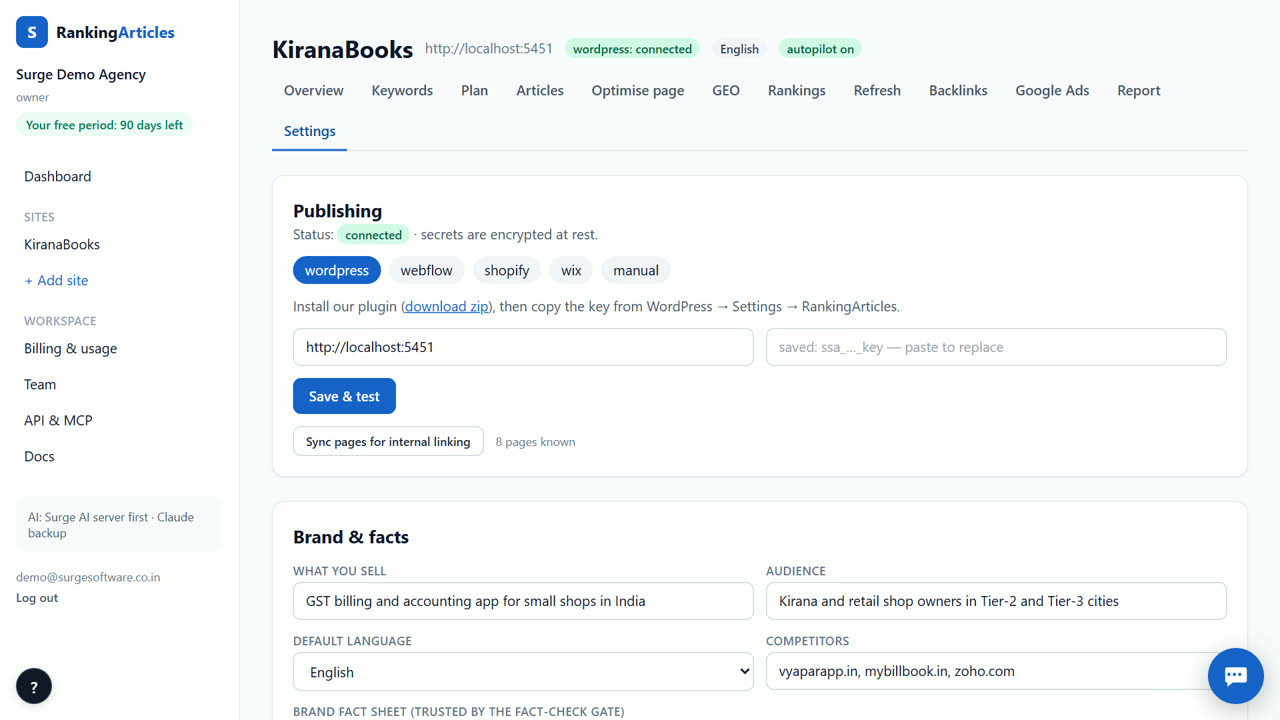
In your site's Settings → Publishing, choose WordPress, paste your site address and the key, and click Save & test. The test confirms the site name, WordPress version and SEO plugin.
- 4
Build the plan
On the Keywords tab, research your seed topics. On the Plan tab, generate a dated content plan from the best keywords.
- 5
Write an article
Click Write now on a plan item. Research, writing, the fact check and the QA score run in one go and take a few minutes.
- 6
Check and publish
Open the article, read the preview and the fact-check verdicts, then publish as a draft or a live post. Live posts are opened afterwards to confirm they really went up.
What you end up with
A WordPress post with your title, body, FAQ, meta title and description in Yoast or Rank Math, validated JSON-LD (BlogPosting, FAQ, Breadcrumb, HowTo where it fits), internal links to your existing pages and a featured image.
An example
A Pune bakery on WordPress adds the topics "eggless cake", "birthday cake delivery" and "cake flavours". The plan suggests a pillar article on eggless cakes and five supporting articles. The first one is written, checked and arrives in WordPress as a draft with its Yoast title and description already filled in; the owner reads it and clicks Publish.
Tips
- Keep "Allow live publishing" off for the first few weeks and publish from WordPress yourself.
- Fill the fact sheet before your first article: prices and opening hours are what readers check first.
- If you use Yoast or Rank Math, leave it installed; the plugin writes to its fields.
When RankingArticles is not the right tool
If you want a human copywriter to interview your team and write a thought-leadership piece, RankingArticles is not that. It writes researched, checked articles for search, from sources and your fact sheet. It also does not design pages or edit your theme.
What it costs
RankingArticles starts with a 14-day free trial, no card. After that you keep a free plan (3 articles a month), or pick a paid plan from ₹2,499 ($29) a month. Paid live data, such as AI-answer checks, is pay-as-you-go at our cost. See the plans.
Questions
Does the plugin work without Yoast or Rank Math?
Yes. Without either, the plugin prints the title, description and Open Graph tags itself.
Can I keep everything as drafts?
Yes. Turn off "Allow live publishing" in the plugin and every article arrives as a draft.
Is the plugin free?
Yes. It comes with your account and has no separate price.
Try it on your own site — 14 days free, no card.
Start free